Olemme helpottaneet mallipohjan valintaa uudelle kurssille selkeyttämällä ohjeistusta. Kun olet saanut uuden kurssialueen, aloitussivulla neuvotaan valitsemaan jokin valmiista yliopiston mallipohjista tai kopioimaan aiempi kurssisi uuden pohjaksi.
Yliopiston valmiit mallipohjat ovat nyt selkeämmin valittavissa.
- Arviointipohjat: valmiit asetukset mahdollistavat suoran arvosanan siirron Moodlesta Peppiin (0-5 tai HYV-HYL)
- Tyhjä mallipohja: ei valmista rakennetta (ei suositella aiemman kurssin pohjaksi)
- Turnitin-pohjat: plagioinnin tunnistukseen
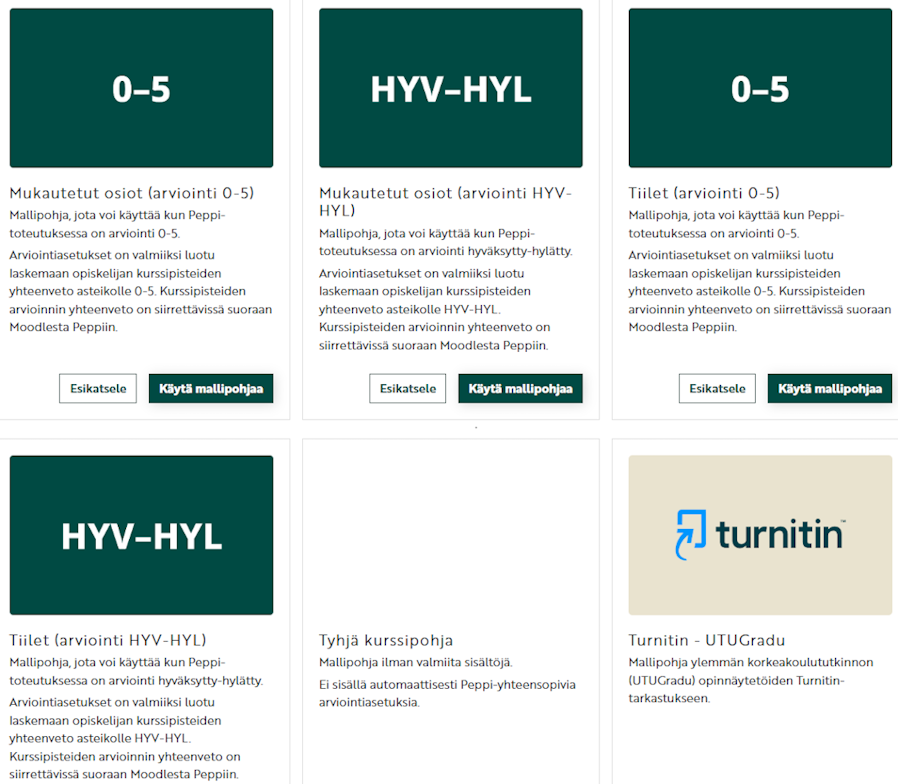
Löydät täältä tarkemmat ohjeet kurssin luontiin.
Arviointien siirrossa Peppiin on nyt apuna tärkeistä asioista muistuttavia infoikkunoita. Ne ohjaavat tarkistamaan, että kaikki pakolliset kurssin suoritukset on tehty ja kurssin loppuarvosana on oikein.
Miten vien arvosanat Moodlesta Peppiin.
Creating a new course and transferring grades
We have made it easier to choose a template for a new course by clarifying the instructions. When you have received a new course area, the start page advises you to choose one of the ready-made university templates or copy your previous course as a template for the new one.
The university's ready-made templates are now more clearly selectable.
- Grade templates: ready-made settings enable direct transfer of grades from Moodle to Peppi (0-5 or HYV-HYL)
- Empty template: no ready-made structure (not recommended as a template for a previous course)
- Turnitin templates: for plagiarism detection
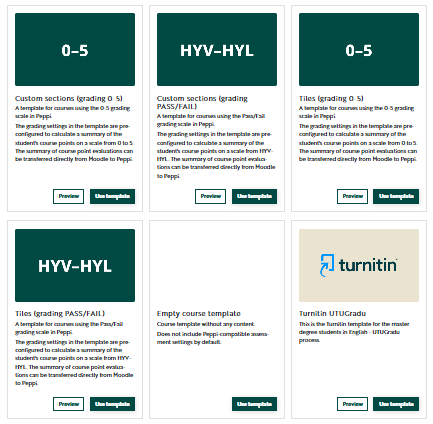
You can find more detailed instructions for creating a course here.
When transferring grades to Peppi, there are now information windows reminding you of important things. They guide you to check that all mandatory course assignments have been completed and the final grade for the course is correct.
How do I transfer grades from Moodle to Peppi?